![logo-patch-retention.png]](https://help.patchretention.com/hs-fs/hubfs/Email%20Campaign,%20Free%20Trial/logo-patch-retention.png?height=40&name=logo-patch-retention.png)
Use sunsetting when you want to stop sending regular marketing email to inactive contacts while keeping their contact record and history in Patch.
In this article
- What sunsetting means
- When to sunset a contact
- Step 1: Build an unengaged segment
- Step 2: Send one re-engagement message
- Step 3: Create a sunset exclusion segment
- Step 4: Keep transactional or operational messages separate
- Step 5: Review the segment regularly
What sunsetting means
Sunsetting means you stop sending regular marketing email to contacts who have not engaged in a meaningful amount of time. You are not necessarily deleting the contact. You are choosing not to keep emailing someone who is unlikely to open, click, book, buy, or respond.
This helps protect your sending reputation and keeps your reporting cleaner.
When to sunset a contact
Sunset rules vary by business, but these are common starting points:
- No email opens or clicks in 90–180 days
- No purchases, bookings, visits, or check-ins in 6–12 months
- No response to a re-engagement email
- Repeated soft bounces
- No clear sign that the person still wants marketing email
If your business sends email often, use a shorter sunset window. If you send rarely, use a longer window.
Step 1: Build an unengaged segment
Go to Contacts and use Patch AI or the segment builder to identify contacts who have not engaged recently.
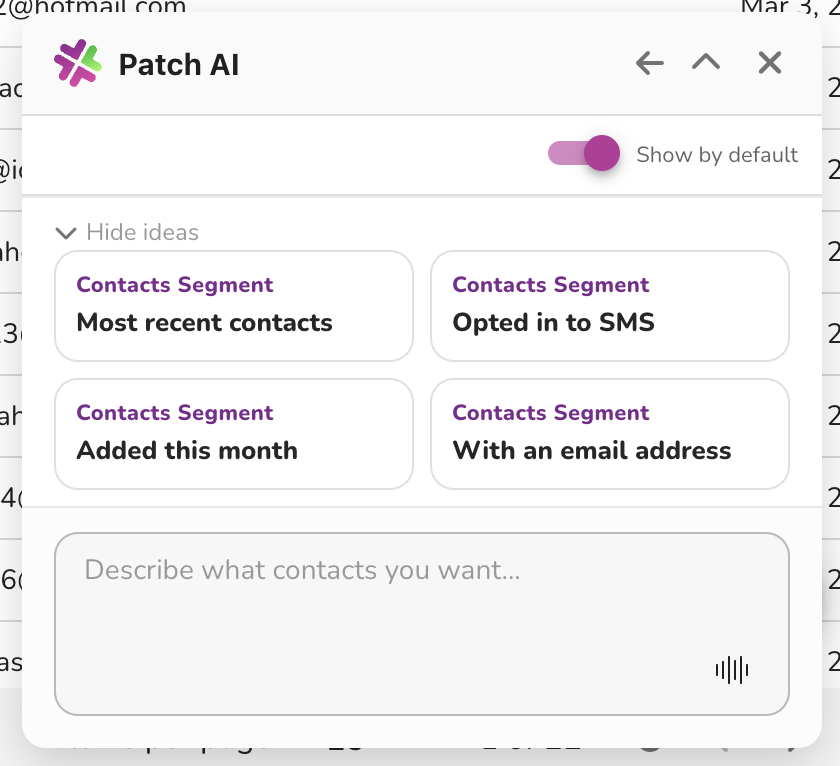
Example Patch AI prompt: Find contacts that should be sunset
Find contacts who may need to be sunset from email marketing.
Include contacts who match these rules:
- Has not opened or clicked an email in the last 90 days
- Has not made a purchase, booking, membership payment, or check-in in the last 6 months
- Has not submitted a form in the last 6 months
- Is not currently an active member
- Is not currently registered for an upcoming event, class, booking, camp, party, or appointment
- Is not already unsubscribed
- Is not already marked as sunset
- Has a valid email address
Create a segment called Email Sunset Review - Inactive 90+ Days.
Before I stop sending to these contacts, help me review the segment and identify any contacts who should be excluded, such as recent members, high-value customers, or customers with upcoming activity.
Step 2: Send one re-engagement message
Before removing contacts from regular sends, send one clear re-engagement email.
The email should:
- Remind them who you are.
- Ask if they still want updates.
- Give them one clear reason to click.
- Avoid guilt, pressure, or misleading urgency.
Example subject line: Still want updates from us?
Example call to action: Yes, keep me on the list.
Step 3: Create a sunset exclusion segment
After the re-engagement window ends, create or update a segment for contacts who still did not engage.
Use this segment as an exclusion from future Blasts and Automations. This keeps the contacts in Patch for history and reporting, but stops them from receiving regular marketing email.
Step 4: Keep transactional or operational messages separate
Marketing sunsetting should not be confused with important operational messages. Depending on your account setup and applicable rules, some messages may be related to a booking, purchase, membership, or account activity.
When in doubt, ask Patch Support before changing automations that send operational information.
Step 5: Review the segment regularly
Set a recurring internal task to review sunset criteria monthly or quarterly.
- Add newly inactive contacts.
- Remove contacts who re-engaged or opted back in through an approved process.
- Check whether automations are excluding the sunset segment.
Sunsetting works best as an ongoing habit, not a one-time cleanup.
Customer Support
If you need help or are not sure which step to take next, contact Patch Customer Support at success@patchretention.com or 888.605.4429.